
Photo Locker Pro2.1.1 - Google Play
You'll be able to see results in few seconds.
Publisher Description
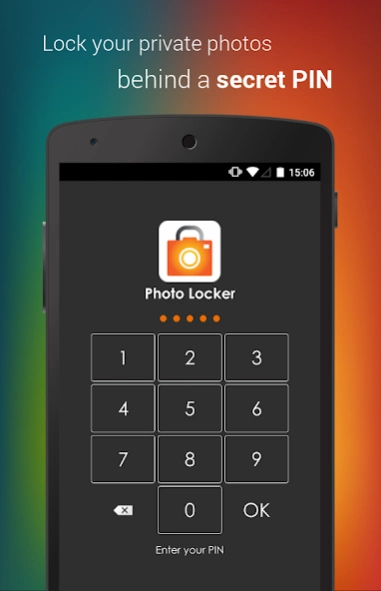


Hide pictures easily and securely in your private hidden photo gallery!
Hide pictures securely and conveniently in Photo Locker Pro! - The ultimate app for hiding pictures on Android.
★Pro upgrade now at 50% off!★
Photos from your Android gallery can be safely locked away inside Photo Locker and accessible only via a secret PIN code.
Additionally, with Stealth Mode turned on, you can access Photo Locker Pro via a Calculator widget. Key in your PIN code using the calculator widget and tap on the number display to access the app! This is useful if you wish to enable Stealth Mode for Photo Locker Pro on a tablet.
Key features include:
1)Encryption - hidden photos are not only moved to a secret location but are also encrypted using advanced 128bit AES encryption. This means that even if someone manage to steal your SD card and copy the image files, they will still be unable to view the photos
2)User friendly operation - Easily hide photos via default gallery or from within Photo Locker itself.
3)Bulk hide - hide hundreds of photos at once
4)Folder level locking - lock individual hidden albums
5)Zoom in and out of hidden photos with multi-touch. Hidden photos maintain their original resolution and are not scaled down as in some other photo hiding apps.
6)Rotate hidden pictures left and right
7)Slideshow - Slideshow viewing mode available with customizable delay setting
8)Removed from recent app list - Photo Locker App will not appear in 'recent apps' list
9)Lock on sleep - If you forgot to exit the Photo Locker, the app will lockout as soon as your phone goes to sleep mode.
10)Tablet optimized - Photo Locker's UI has been designed with tablets in mind as well so as to provide the ultimate viewing pleasure on both Android smart phones and tablets
11)PIN recovery - With the optional PIN recovery feature, you won't lose your precious files even if you forgot your PIN code.
12)Easy Un-hide - Un-hide photos just as easily as hiding them and you can decide where the un-hidden photos go.
Download Photo Locker Pro now!
Photo Locker Pro is brought to you by Handy Apps.
Connect with us on Facebook at: https://www.facebook.com/HandyAppsInc
-------------------------
**Stealth Mode Dial Function has been disabled to comply with Google Play's policy changes: https://support.google.com/googleplay/android-developer/answer/9047303**
*Android10 Stealth Mode users: Due to Google policy changes, Android10+ can no longer hide icons when in stealth mode. The Calculator(PL) widget will still work, and tapping on the icon only opens app settings, not the app itself. We are working on possible solutions currently.*
*Photos are securely hidden in the device and not saved to any cloud program for user's privacy*
* Do not delete .PL folder*
*Do not move app to SD card*
*Not recommended for devices on custom ROM*
*Devices running on Android 4.4 and above have restricted application access to SD card*
Having issues with Photo Locker? Check out the FAQ below for assistance!
http://handyappsforlife.com/support/19-photo-locker-and-video-locker/29-photo-locker-and-video-locker-faqs
About Photo Locker Pro
The company that develops Photo Locker Pro is Handy Apps. The latest version released by its developer is 2.1.1.
To install Photo Locker Pro on your Android device, just click the green Continue To App button above to start the installation process. The app is listed on our website since 2019-10-13 and was downloaded 0 times. We have already checked if the download link is safe, however for your own protection we recommend that you scan the downloaded app with your antivirus. Your antivirus may detect the Photo Locker Pro as malware as malware if the download link to com.handyapps.photoLocker10 is broken.
How to install Photo Locker Pro on your Android device:
- Click on the Continue To App button on our website. This will redirect you to Google Play.
- Once the Photo Locker Pro is shown in the Google Play listing of your Android device, you can start its download and installation. Tap on the Install button located below the search bar and to the right of the app icon.
- A pop-up window with the permissions required by Photo Locker Pro will be shown. Click on Accept to continue the process.
- Photo Locker Pro will be downloaded onto your device, displaying a progress. Once the download completes, the installation will start and you'll get a notification after the installation is finished.
Program Details
System requirements
Download information
Pricing
Version History
version 2.1.1
posted on 2019-10-14
V77
- Fixed PIN Recovery issue for some users
- Updated libraries
- Misc bugfixes
V74-75:
- Fixed share function
- Removal of Dial Pin Code Function due to Google Play's policy changes (use INCLUDED Calculator(PL) widget: enter PIN and tap number display http://bit.ly/lockerwidget)
- Fixed stealth mode unable to stay activated
- Fixed log in issues for certain devices
version 2.1.0
posted on 2019-10-10
V75-74:
- Fixed share function
- Removal of Dial Pin Code Function due to Google Play's policy changes (use INCLUDED Calculator(PL) widget: enter PIN and tap number display http://bit.ly/lockerwidget)
- Fixed stealth mode unable to stay activated
- Fixed log in issues for certain devices
version 2.0.1
posted on 2017-10-23
V70:
- Misc backend optimizations
- Updated libraries and bugfixes
version
posted on 2016-12-27
V62:,- Fixed bug - ShareTo screen erroneously showing ads,- Minor optimizations,V61:,- Integration with Video Locker! Tap the Video Locker icon to instantly switch apps! Use the same PIN for both apps and you can switch without re-entering the PIN! (You can hide the shortcut from Settings if you want to),Previous change log:,- UI Improvements,- More bug fixes and improvements,- Fixed rotation issue where images are imported in a different orientation
version 1.0.2
posted on 2013-03-12
Several fixes and updates
Disclaimer
Official Google Play Link
We do not host Photo Locker Pro on our servers. We did not scan it for viruses, adware, spyware or other type of malware. This app is hosted by Google and passed their terms and conditions to be listed there. We recommend caution when installing it.
The Google Play link for Photo Locker Pro is provided to you by apps112.com without any warranties, representations or guarantees of any kind, so access it at your own risk.
If you have questions regarding this particular app contact the publisher directly. For questions about the functionalities of apps112.com contact us.
